To change app icons on a Samsung phone, touch and hold an empty part of the home screen, tap Themes, then tap Icons. Download an icon set and tap Apply. Galaxy Themes may not change every app and can't use your own images, so use one of the other methods below for that.
Which Method Should You Use?
• Galaxy Themes — ready-made icon sets, built in • Good Lock Theme Park — design a set yourself, from Samsung, no launcher needed • Launcher and icon pack — change any icon, without Samsung themes • Shortcut maker app — use your own image for one app
Change Icons with Galaxy Themes
1. Touch and hold an empty area of the home screen, then tap Themes. 2. Tap Icons and choose a set. 3. Tap Download for a free set, or tap the price for a paid one. 4. Tap Menu > My stuff > Icons. 5. Select the set and tap Apply.
You need a Samsung account to use Galaxy Themes. Samsung says icon sets may not change all of your app icons, and you can't use your own images as icons.
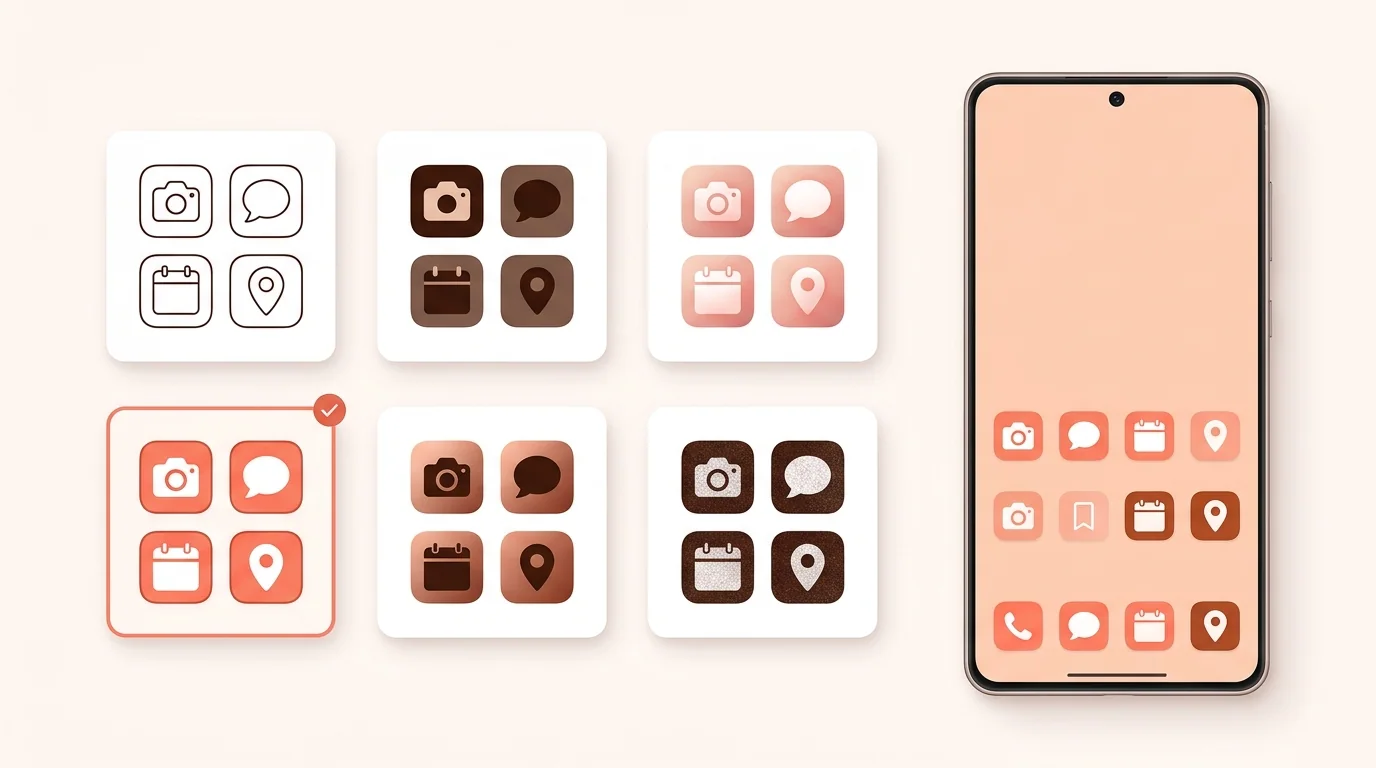
Create Your Own Set with Good Lock Theme Park
Good Lock is Samsung's customization app. Its Theme Park module builds an icon set from the shape and effects you choose, and it can also restyle downloaded apps.
1. Install Good Lock from the Galaxy Store. 2. Open Good Lock and install Theme Park. 3. Open Theme Park, tap the Icon tab, then tap Create new. 4. Choose a shape and effects such as glass, gradient or duotone. 5. Save the design, select it, and tap Apply.
Menu names can differ by Theme Park version. Themes you made may disappear after a major One UI update. If that happens, update Theme Park and create the theme again.
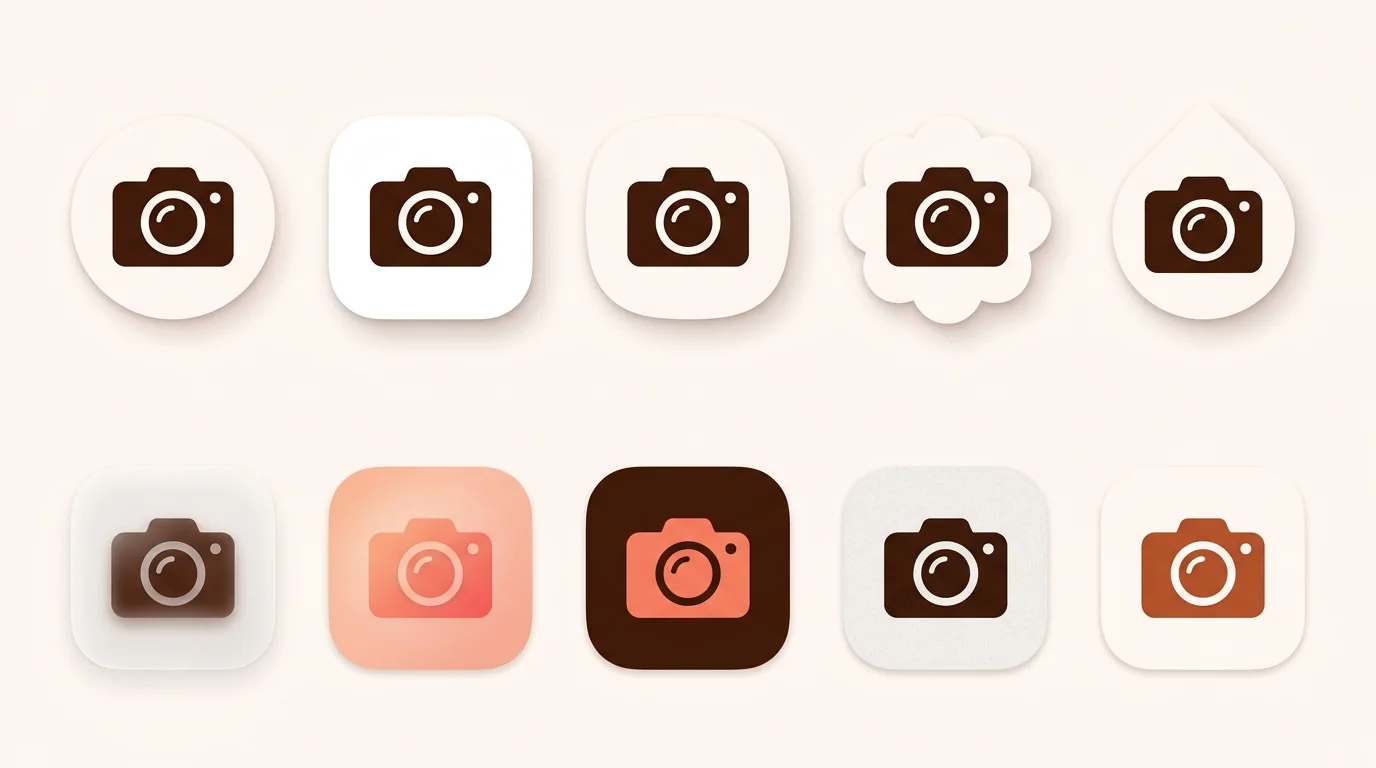
Change App Icons on Samsung Without Themes
A launcher replaces Samsung's home screen and works with icon packs from the Play Store. Lawnchair, Niagara and Smart Launcher are maintained options.
1. Install a launcher and set it as your default home app. 2. Install an icon pack from the Play Store. 3. Apply the pack in the launcher's settings.
To go back, choose One UI Home as your default home app again.
Use Your Own Image for One App
Galaxy Themes doesn't accept your own images, but a shortcut maker app does. Pick the app, choose your image from Gallery, and add the shortcut to the home screen. Then remove the original icon from the home screen without uninstalling the app.
Use a square image of at least 192×192 px, with the main shape centered. To test how it looks when cropped, use Android Adaptive Icon Checker.
Go Back to the Default Icons
1. Touch and hold an empty area of the home screen, then tap Themes. 2. Tap Menu > My stuff > Icons. 3. Select Default and tap Apply.
Make App Icons Bigger or Smaller
On One UI 7 and later, open Settings > Home screen > App and widget style, then adjust the icon size. This changes the size only, not the icon's design.
Change App Icons on Samsung FAQ
Can you change app icons on Samsung for free?
Yes. Galaxy Themes has free icon sets alongside paid ones, and you can also use a free launcher with a free icon pack.
Can I use my own picture as an app icon on Samsung?
Not with Galaxy Themes. Use a shortcut maker app, or a launcher that lets you edit a single icon.
Why didn't all my icons change?
Samsung says icon sets may not change every app icon. Theme Park or a launcher with an icon pack can give you wider coverage.
How do I change app icons on a Samsung tablet?
Samsung says Galaxy Themes isn't supported on Galaxy Tabs. A launcher with an icon pack is the usual alternative.
Can I use Play Store icon packs without a launcher?
Not through Galaxy Themes. Samsung's built-in option uses icon sets from its own store, so Play Store packs normally need a launcher.